Posts

Showing posts with the label Biblioteca Virtual FAPESP

Dynamic data use-case for d3.js
Image
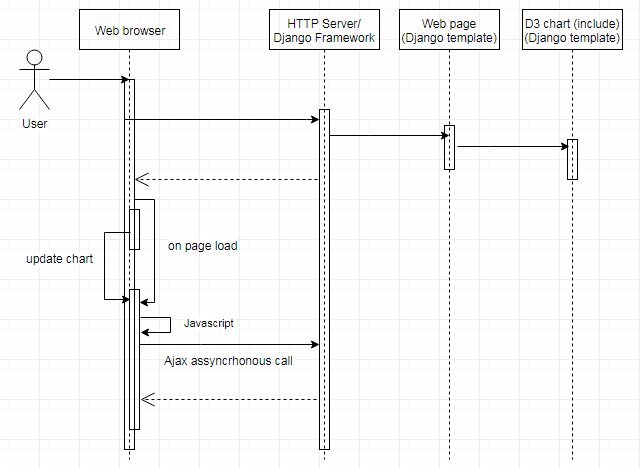
I have been using d3.js in a production environment for about 3 years. And now due to some features upgrade on our website some changes need to be made on our charts. I decided to put this on paper to document and share this experiments. To play with d3.js, you have to deal with some technologies: Javascript Css Ajax Server-side (Python/Django) for me For this system I also use Solr to deliver graph data. System overview The portal ( https://bv.fapesp.br ) is a standard web site that loads dynamic data from relational database and nosql database. To display analytics charts, we use d3.js. The diagram below shows the communication layer between the components, to load d3.js charts on the front-end of BV FAPESP. Essentially, we use d3.js just like that, a javascript framework to display chart data. However, when you have to load data dynamically in a couple of charts, these things need to be a bit elaborated. BV FAPESP portal makes use of some d3.js charts seemin...

Atom - Jupyter / Hydrogen

Image
I will show you how to use the Atom editor with Jupyter Notebook to debug Python/Django views using Hydrogen plugin. On the Internet you can find some examples using this setup to debug Python but I found nothing related to Django, so I decided to publish this notes. This is not a high performance setup, because it involves many technologies at several layers. This is more a proof of concept of nowadays technologies which are available to the programmer's toolbox. This notes has been written during the development and improvement of the automated tests of the Virtual Library of FAPESP ( http://www.bv.fapesp.br ). The environment The diagram below shows an actual infrastructure to use this setup in a development environment. Technologies It is not expected that you know all of the technologies in detail, but there are some trick points. This paper is oriented for Python programmer who already use Atom and Jupyter and enjoy explore the edges of these tools. ...

Do Google Maps ao Open Street Map

Image
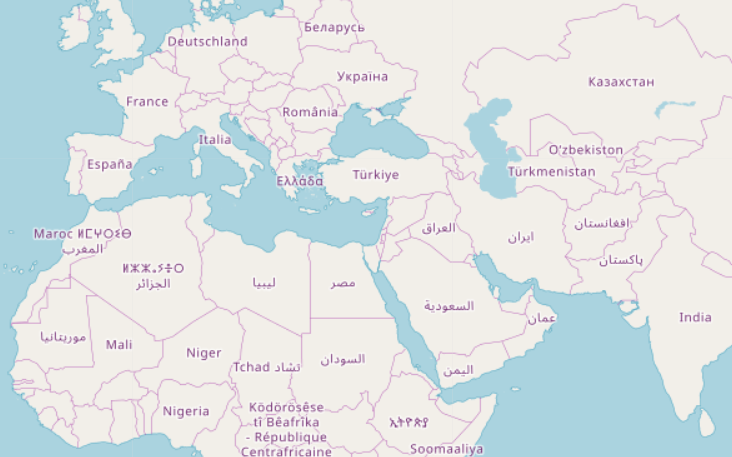
O objetivo deste texto é documentar algumas dificuldades encontradas para substituir o framework Google Maps pelo Open Street Map. Este texto não é um tutorial do OSM, seja no nível de instalação, configuração ou uso; e se limita a apresentar os detalhes de implementação específicos ao caso de uso do portal web Biblioteca Virtual da FAPESP (BV FAPESP - http://bv.fapesp.br ). Caso de uso A BV FAPESP utiliza mapas georreferenciados para apresentar informações de concessão de fomentos de Projetos de Pesquisa (Auxílios à Pesquisa e Bolsas de Pesquisa) relacionados às cidades de origem das Instituições-sede de pesquisa e instituições no exterior, quando o Projeto de Pesquisa se relaciona com alguma instituição no exterior. Deste modo é necessário que o sistema de mapas tenha uma abrangência global. A BV FAPESP sempre utilizou o framework de mapas Google Maps, porém o mesmo passou a cobrar pelos seus serviços à partir de Junho de 2018. Isso levou a uma decisão interna do projeto ...

Jenkins Gitlab Django

Image
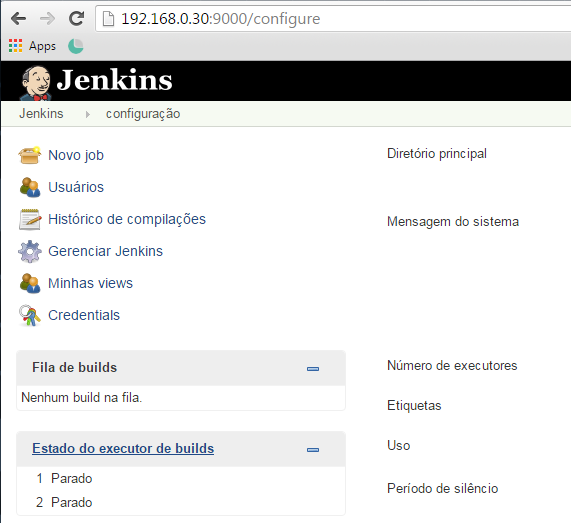
Instale o Jenkins de acordo com o seu sistema operacional O Jenkins é uma aplicação web JAVA autocontida, que utiliza o servlet container/HTTP server Jetty. O Jenkins roda como serviço, o que significa que uma vez instalado, basta você rodar o comando de acordo com o seu sistema operacional que o mesmo sobe tudo o que for necessário e fornece uma interface web para ser acessada via browser. Uma vez que o Jenkins está instalado e inicializado corretamente, basta acessar a página de adminstração do Jenkins na porta que você subiu a aplicação. A interface abaixo é uma tela da versão 2.7.4, que requer o Java jdk 1.7. Gitlab plugin Este plugin permite que o Jenkins faça os builds automaticamente quando houver um push ou merge de código no Gitlab. Instalar O mesmo deve ser instalado, pois não vem instalado por padrão no Jenkins. Para instalar plugins, clique no item de menu “Jenkins” > “Gerenciar Jenkins” > “Gerenciar Plugins”, conforme a figura abaixo. Certifique...